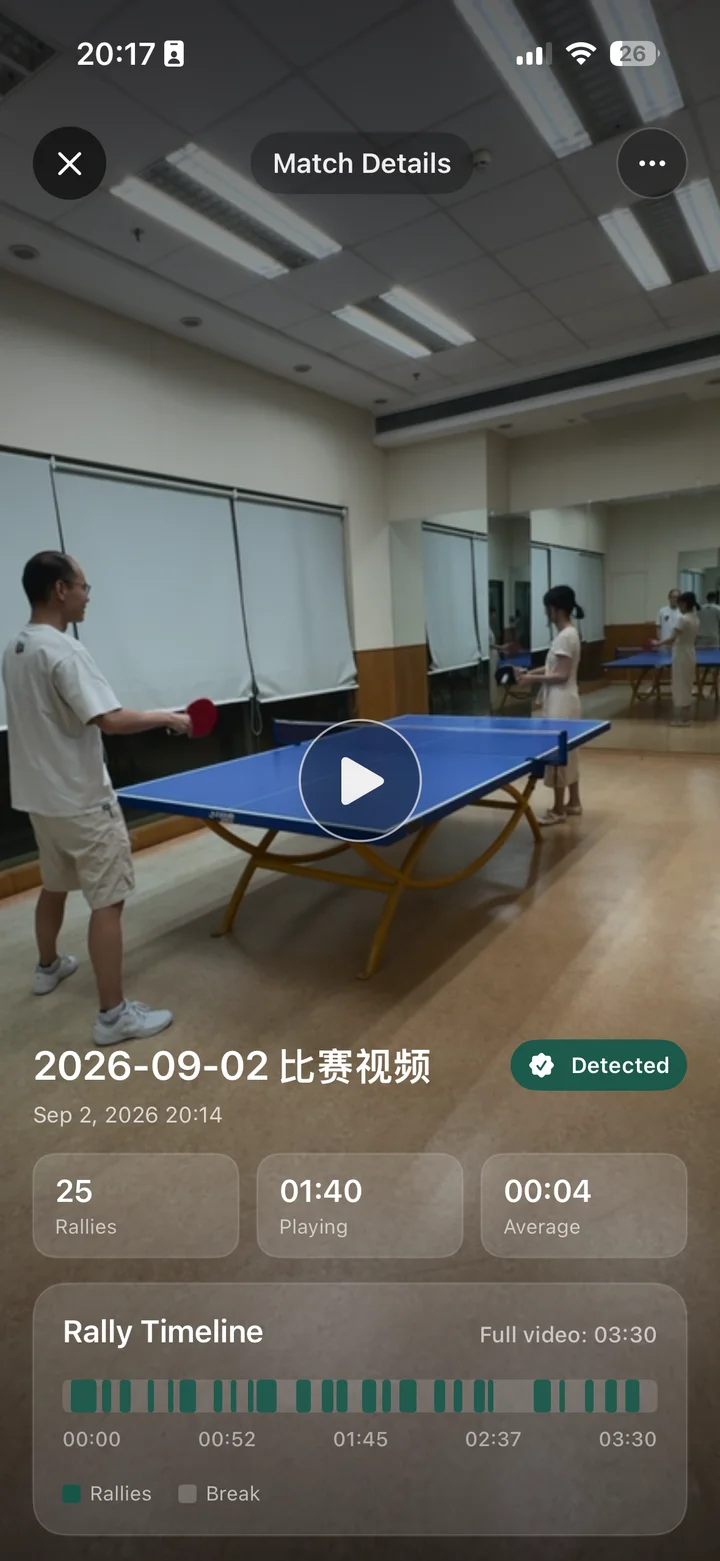
01 / Rally review
Every rally. Worth a replay.
Record or import a match. Turn a long video into rallies that are easier to revisit, so you can spend more time reviewing your game.
Record or import → Split into rallies → Review
Rally review. Train smarter.
Record table tennis and badminton, review rallies, compare technique in video and 3D, and plan your next practice.
iPhone · iPad · Apple Watch · Free with in-app purchases
DUOLIAN / Inside the app
From a rally on court to a more focused practice.
01 / Rally review
Record or import a match. Turn a long video into rallies that are easier to revisit, so you can spend more time reviewing your game.
Record or import → Split into rallies → Review
02 / Technique
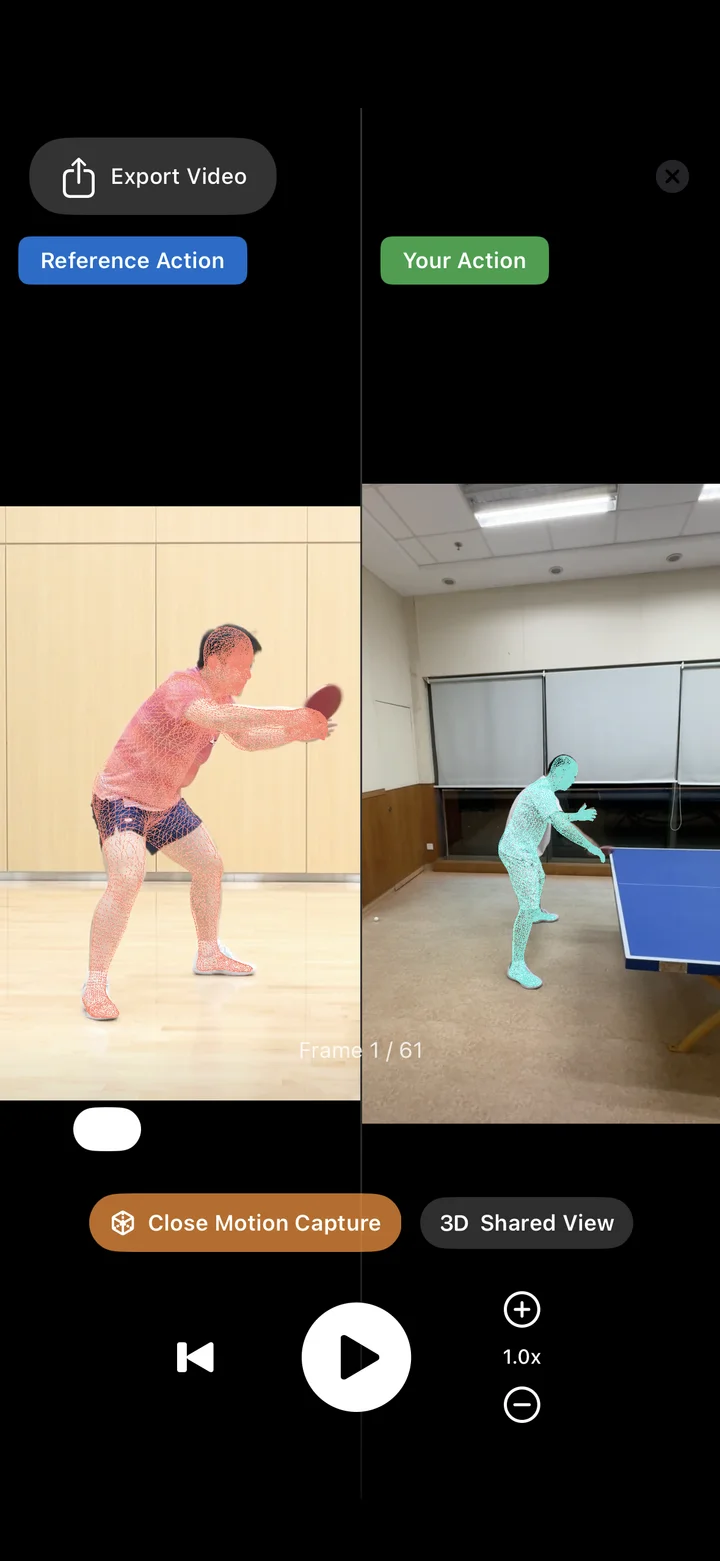
Choose a reference or compare two videos of your own. Use frame-by-frame playback, skeleton overlays and angle information to find what to work on next.
Compare a reference with your own technique.
03 / Motion capture
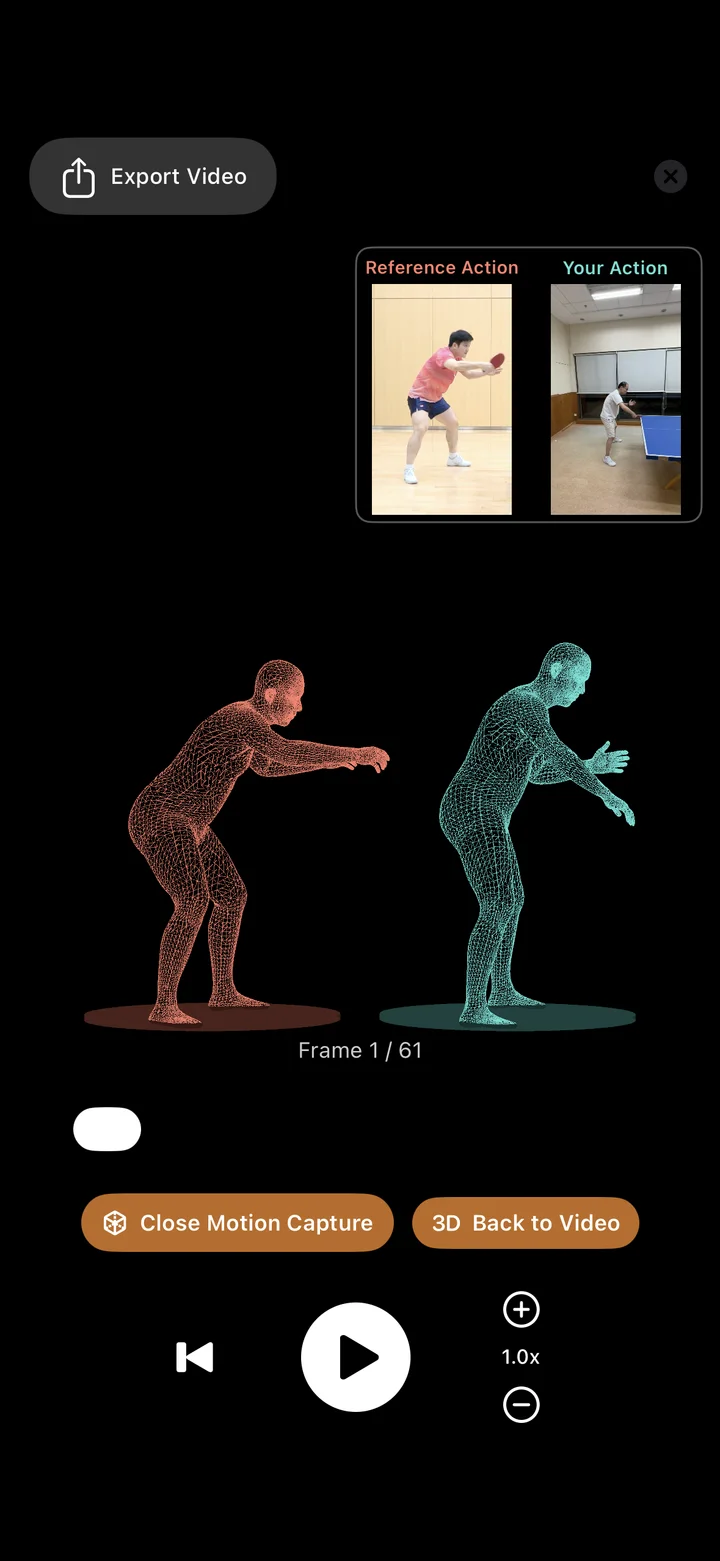
Explore both movements in a shared 3D view. Step through the motion to see how body positions and movements differ.
Cloud 3D comparison requires a connection and available comparison credits.
04 / Practice plans
Choose ball-machine drills, adjust the settings, and combine drills and durations into a practice plan. Follow your plan, then look back at your training records.
Ball-machine training is for table tennis and requires compatible hardware.
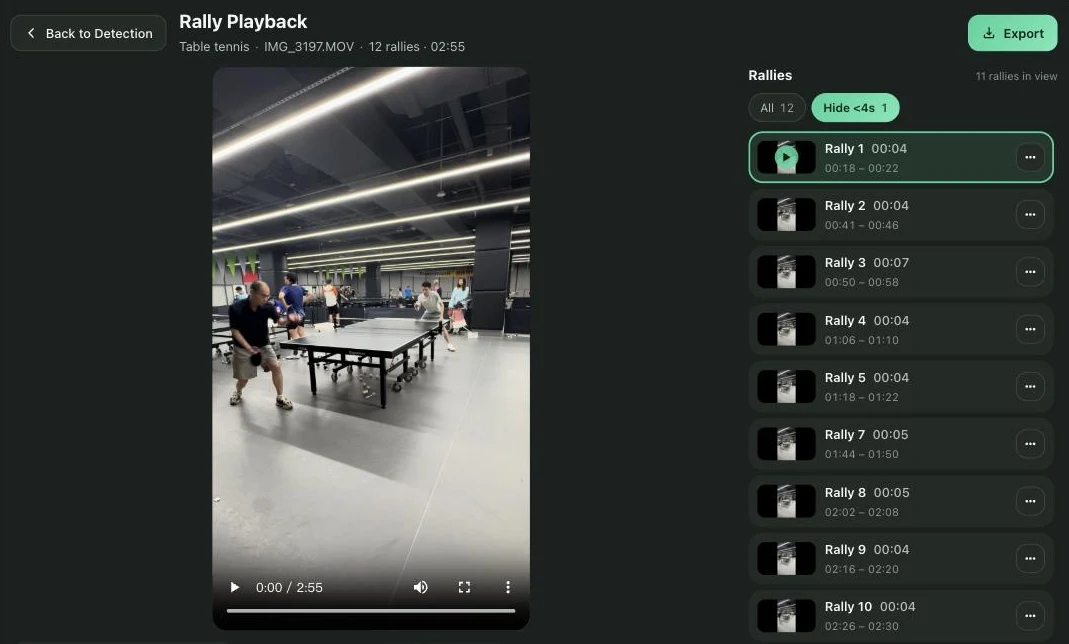
05 / Web app
Import a match in your browser and get a timeline cut into rallies. Replay rally by rally on a large screen, drag the timeline to fix a boundary, then export the clips you need.
Import → Rally timeline → Drag boundaries → Export clips
Same Duolian account, with membership shared with the iOS app.
Compare technique and review matches. Scan a code to start a match, record and confirm scores, or build a ball-machine practice plan.
Record matches, review rallies, choose a reference or compare your own videos, and save your training and analysis records.
Control training and match recording with your iPhone, and check your session status. Supported workouts can record heart rate.
No. Start with your iPhone to record and replay videos or compare technique. Ball-machine drills require compatible hardware; watch features require an Apple Watch.
Local video recording, playback and local technique comparison do not require consent to cloud AI processing. Cloud analysis uploads the relevant media only with your consent.
Monthly and annual plans have the same benefits: 120 minutes per week for intelligent analysis and rally segmentation, plus 8 cloud-based 3D Body comparisons per month. See the app and App Store confirmation for current pricing.
DUOLIAN / iOS
Make every practice more focused with Duolian.
Download on the App StoreiPhone · iPad · Apple Watch · Free with in-app purchases