 Duolian中文
iOS BETA GUIDE · TESTFLIGHT
Help shape your next session.
Try new features and tell us how they fit your training. Three steps to get started on your iPhone.
iPhone · iOS 16 or later · Apple Account
Available places, device requirements and builds are shown in TestFlight.
Links not opening in WeChat? Copy this page’s link into Safari, then use the install buttons.
Subscriptions and credit packs in the beta do not charge real money.01 / Install
Three steps to get started
Install TestFlight first
TestFlight is Apple’s official beta testing app. Install it from the App Store, then return to this page.
Go to the App StoreAccept the Duolian invitation
Open the invitation, then tap Accept → Install. If you have already joined, tap Update or Open.
Open invitationOpen Duolian
Launch Duolian from your Home Screen. Use your usual sign-in method if you already have an account, or follow the instructions to sign up or sign in.
Already using the App Store version? The beta replaces it, so you do not need to delete the app first. Keep the original files of important training videos.
02 / Try it
Try one training session
Start with a workflow you use regularly. You do not need to try every feature at once.
Allow the permissions you need
Allow camera and microphone access for recording, and select photo access when importing videos.
Start with posture correction
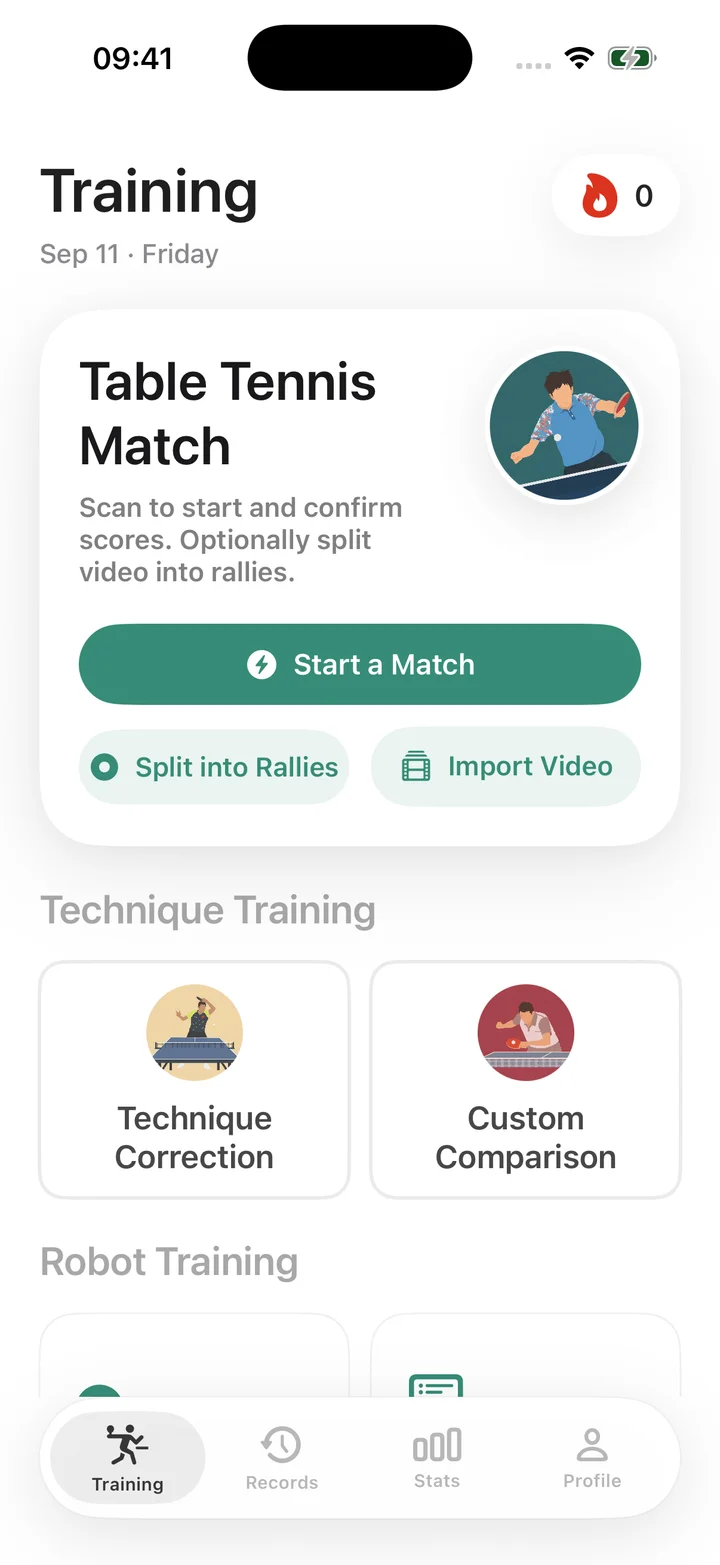
Open Training → Posture Correction, choose a technique, and follow the steps to practise and compare your movement.
Review the result and tell us how it felt
Was the feature easy to find? Did the workflow run smoothly? Was the result clear? We welcome all of this feedback.
Before each update, open TestFlight → Duolian → What to Test to see the focus of that build.
03 / Purchases
Try purchases without real charges
In Duolian downloaded from TestFlight, subscriptions and in-app purchases through Apple do not charge real money. Prices may still appear while you test the purchase flow.
Want to try membership?
Open Profile → Membership & Benefits, choose a plan and follow the Apple confirmation prompts to test a subscription.
Need more analysis credits?
Open Profile → Usage & Limits → Buy Credits and select a pack. You can buy additional packs as needed for testing without real charges.
Check your access after purchasing
Return to Duolian to check your membership or credits. If they have not appeared, use the resync option, then shake to report the problem if needed. Test subscriptions renew faster and may expire sooner than regular subscriptions.
This applies only to Apple subscriptions and in-app purchases in the TestFlight beta. It does not apply to the App Store version or website payments. Test purchases do not carry over as App Store purchases.
Apple’s guide to test purchases04 / Feedback
Found a bug? Shake to report it
Steps we can follow help us find the cause of a problem.
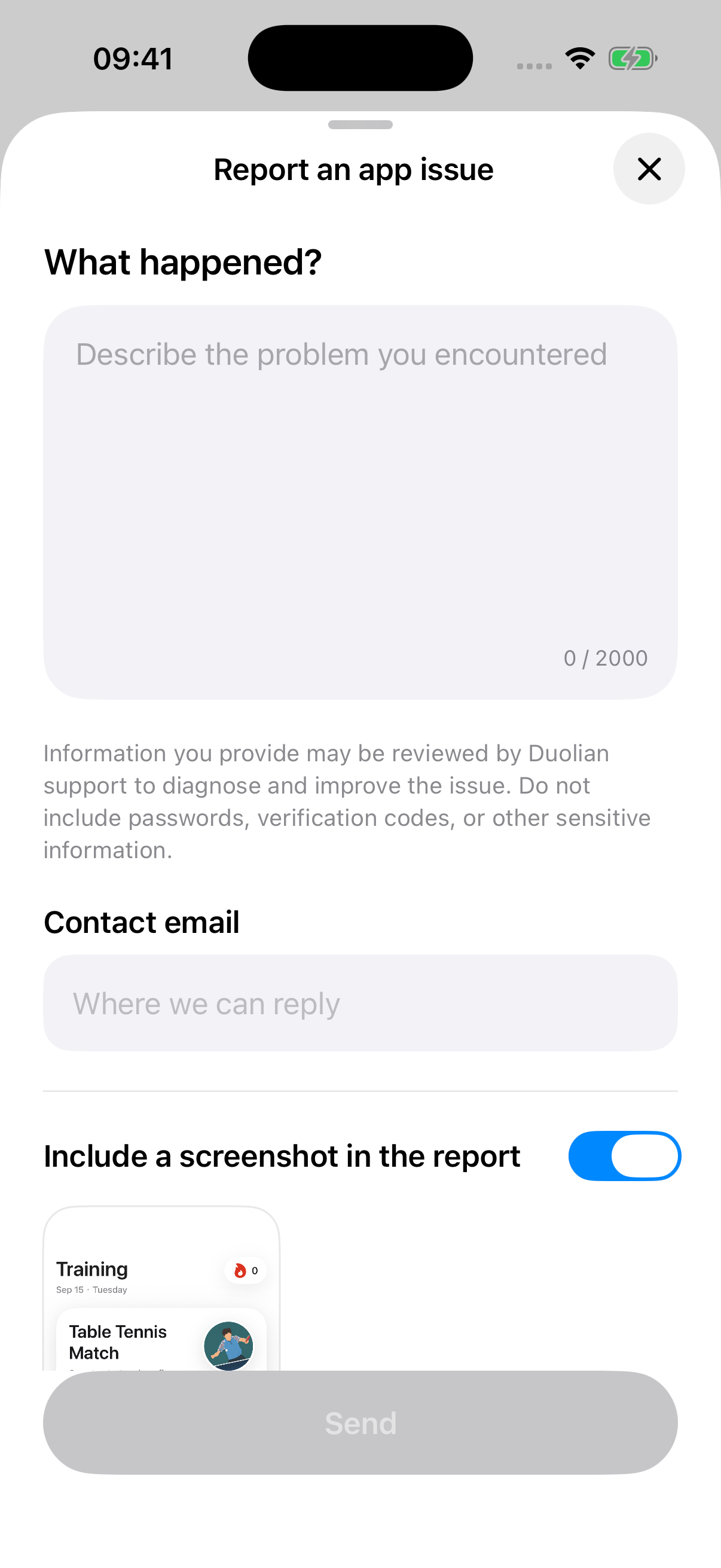
Shake your phone. We capture the screen for you.
Stay on the affected screen, gently shake your phone, choose to report an issue, describe what happened and tap Send. Duolian automatically captures the screen when you shake and adds it to your report. Preview the image or turn off Include a screenshot in the report. It is uploaded only when you send the report. Save the report reference for follow-up.
Crash or sign-in problem? Use TestFlight
Open TestFlight → Duolian → Send Beta Feedback. Include a screenshot and a description. You can also use this method if shaking does not open the feedback form.
A helpful report includes
Goal: Import a training video Steps: Which screen I opened and what I tapped Problem: A freeze, crash or unexpected result Time: Today, around 8:30 pm Device and versions: iPhone model, iOS and Duolian versions Attachment: Screenshot or screen recording
You can also contact support@duolian.cc
05 / FAQ
Common questions
Why is there no build to install?
A build may be awaiting Apple review, expired, or unavailable for your device. Check the message in TestFlight and try the invitation again later. If you still cannot install, send a screenshot to the person who invited you.
The beta is full, closed or incompatible with my device.
Send the invitation message, your iPhone model and iOS version to the person who invited you. Reinstalling TestFlight will not create more places.
The buttons do not open from WeChat.
Copy this page’s link, paste it into Safari’s address bar and open it. Install TestFlight first, then return to open the beta invitation.
How do I update or replace an expired build?
Open TestFlight → Duolian → Update. You can also enable automatic updates on Duolian’s TestFlight page. Each build is available for up to 90 days after upload; after it expires, install a newer available build.
Will the displayed subscription price be charged?
No. Apple subscriptions and in-app purchases in Duolian downloaded from TestFlight run in the test environment and do not charge real money. Joining does not automatically activate membership: complete a test subscription in the app, or buy credit packs when needed. This does not apply to the App Store version or website payments.
Can I test on Apple Watch too?
Install the iPhone app first. Then check Duolian’s details in TestFlight for a compatible Apple Watch build and its installation option.
How do I leave the beta and return to the App Store version?
Choose Stop Testing on Duolian’s TestFlight page, then install Duolian from the App Store. Keep the original files of important videos before switching versions.