Film the match
Put your phone on a tripod or stand with the whole table and both players in frame, then play as usual. A regular video works; slow-motion videos cannot be imported yet.
TABLE TENNIS VIDEO ANALYSIS
Film a match on your phone, import it into Duolian, and the rallies are cut out for you. Every point becomes its own clip to replay, fix and keep. When a point raises a technique question, the same app puts your stroke next to a reference.
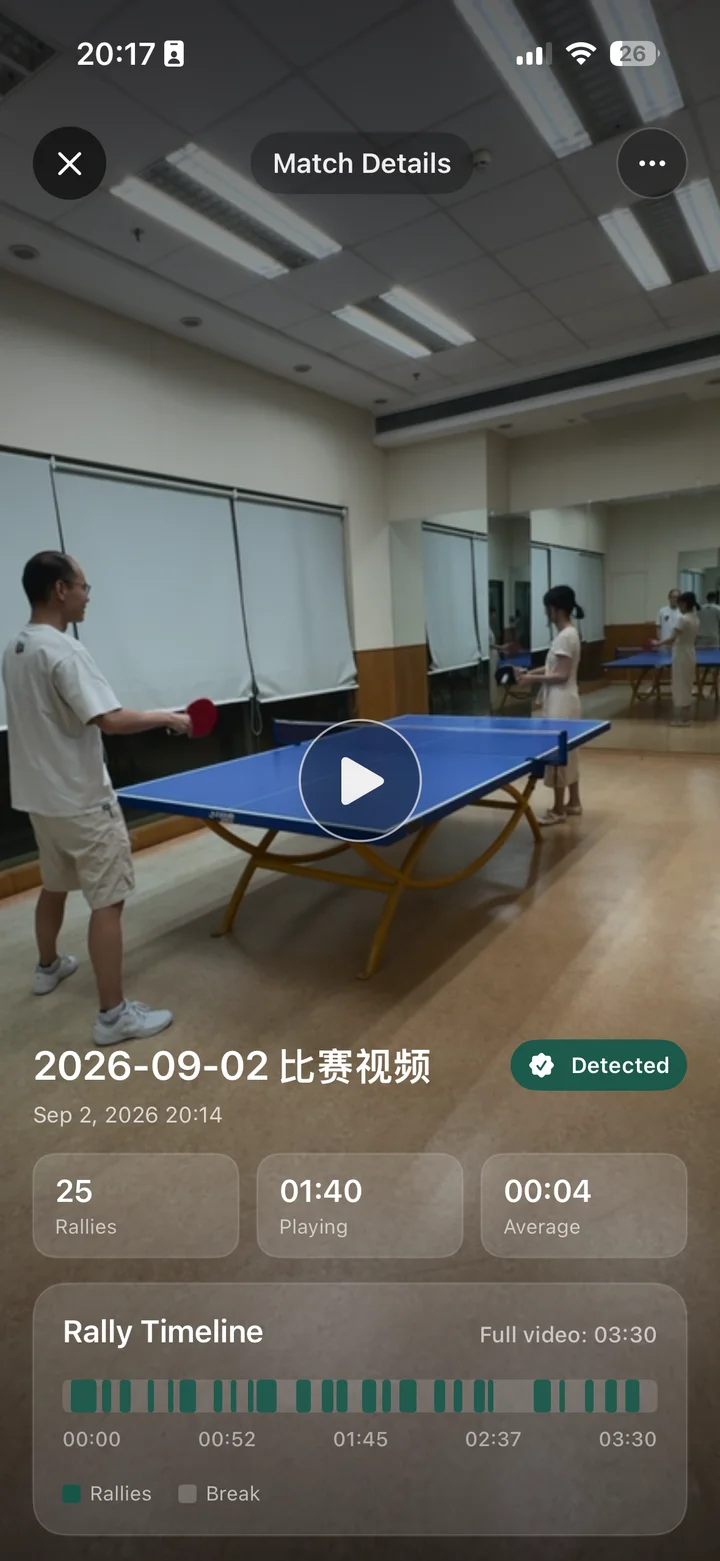
TABLE TENNIS VIDEO ANALYSIS
Most of a table tennis video is not table tennis. It is picking up balls, changing serve and walking back to the table. Scrubbing through all that in a normal player gets old fast, and the points you wanted to see are hard to find.
Duolian does that part for you. Import a match and frames sampled from it are sent to the cloud to find the rallies. Each rally can be played as soon as it is found, and the rallies are grouped into games and matches. Once the upload is done you can leave the app; you will be notified when the rallies are ready.
If a cut is off, drag the two handles to fix where the rally starts and ends. Split a clip that holds two points, or delete one you do not need; the original video stays untouched. Favourite your best rallies, save one to Photos, or merge several into one video.
REVIEW WORKFLOW
No forms and no manual scoring. What the video already shows, Duolian tries to read from the video.
Put your phone on a tripod or stand with the whole table and both players in frame, then play as usual. A regular video works; slow-motion videos cannot be imported yet.
Tap Import Video and pick a match from Photos, up to 50 minutes long. Rallies appear while the analysis is still running.
Pick the points worth another look, then fix a cut, favourite or save them. To work on a single stroke, open Technique Correction under Training.
FAQ
No. Rally splitting needs two players hitting back and forth. If the video is a multi-ball feeding drill or one person practising, Duolian tells you so and points you to Technique Correction instead.
Keep the phone still, with the whole table and both players in view. That is also the advice Duolian gives when it cannot find rallies. Try not to move the phone or change the angle during the match.
To find rallies, Duolian sends frames sampled from your video to its cloud service. It asks for your consent first, and you need to be signed in. Local playback and on-device technique comparison do not need that consent.
The app is free to download and includes an example table tennis match you can explore first. New accounts also get some free match-analysis time. Premium includes 4 hours of match analysis a week and 16 cloud 3D comparisons a month; the app and the App Store show current pricing.
Yes. Sign in at web.duolian.cc with the same account, set your sport to table tennis and import a match (MP4, MOV or AVI, up to 50 minutes). You get the rally timeline on a big screen, with draggable boundaries and clip export. Your membership allowance is shared with the app.
An editor makes you find the start and end of every point yourself. Duolian splits the match into rallies for you and keeps replay, favourites, export and technique comparison in one flow.
INTERNAL LINKS